 The Vocabulary Editor
The vocabulary document area has the appearance of a spreadsheet-like grid. The grid consists of cells organized in two columns and a number of rows. Each column and row has a header. The column headers are used to specify the titles of the vocabulary document. They can be set by editing the first row.
You can click in a cell of the grid to make it the active cell. You can use the up and down arrow to move up and down in the table and tab to move to the next element.
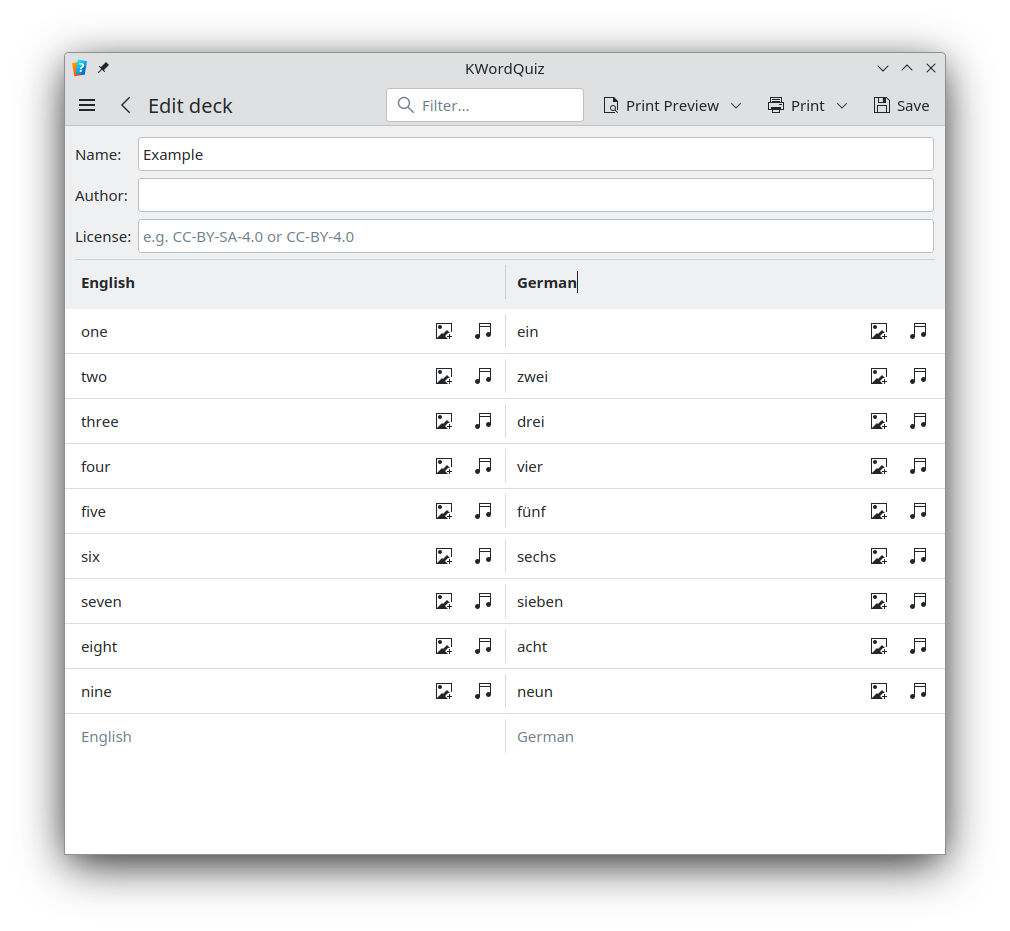
In the document, you build a vocabulary of pair-wise entries in the two columns. You can enter text into the active cell simply by starting to type. The cell will now be in edit mode and you can select all or part of the text. You can also edit a cell by double-clicking it or by pressing F2 and making changes directly in the cell.
When you have finished typing one entry, press the return key and the next cell will automatically become active. Hence, it's easy to quickly type several entries. There is really no limit to the number of rows you can have in a document.