 Delete
To delete some parts of a document you can of course select them, and then use the Delete key. Kate also offers the command Ctrl+K which deletes the whole line. But Kile offers a faster way with its own delete commands. Under → you will find the following commands to delete text.
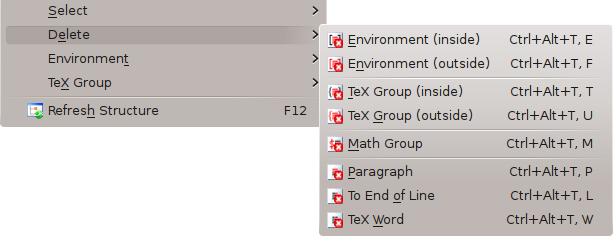
- (Ctrl+Alt+T,E)
Delete an environment without the surrounding tags.
- (Ctrl+Alt+T,F)
Delete an environment including the surrounding tags.
- (Ctrl+Alt+T,T)
Delete a TEX group inside the surrounding braces.
- (Ctrl+Alt+T,U)
Delete a TEX group including the surrounding braces.
- (Ctrl+Alt+T,M)
Delete the current math group including the math commands.
- (Ctrl+Alt+T,P)
Delete a whole paragraph. Look at the → command, how a paragraph is defined in Kile.
- (Ctrl+Alt+T,I)
Delete the text from the current cursor position to the end of the line.
- (Ctrl+Alt+T,W)
Delete the word or LATEX command under the current cursor position.