 Game Rules, Strategies and Tips
Table of Contents
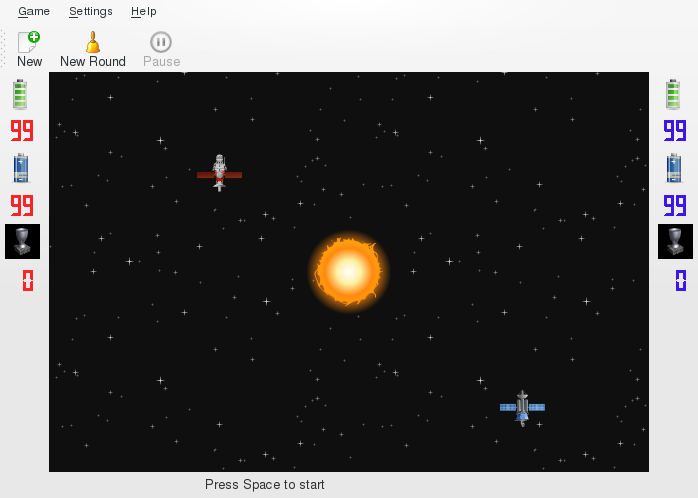
The top of the playing area is occupied by the menubar and toolbar.
The central part of the KSpaceDuel screen is the playing area.
On the left and on the right sides of the playing area there are the Red Player's and the Blue Player's information screens.
The top box on the information screen represents the “Hit Points” of the spacecraft.
The middle box on the information screen represents the battery power.
The bottom box on the information screen shows player's number of wins.
The bottom of the playing area is the status bar.